A calm place to work
Projects, tasks and conversations sit in a sidebar you already know how to use.
Mac app and web workspace
Projects, tasks and conversations in one place. Your team gets a shared home for the work, on the Mac and in the browser.
The Mac app is available today. A Windows app is coming soon.

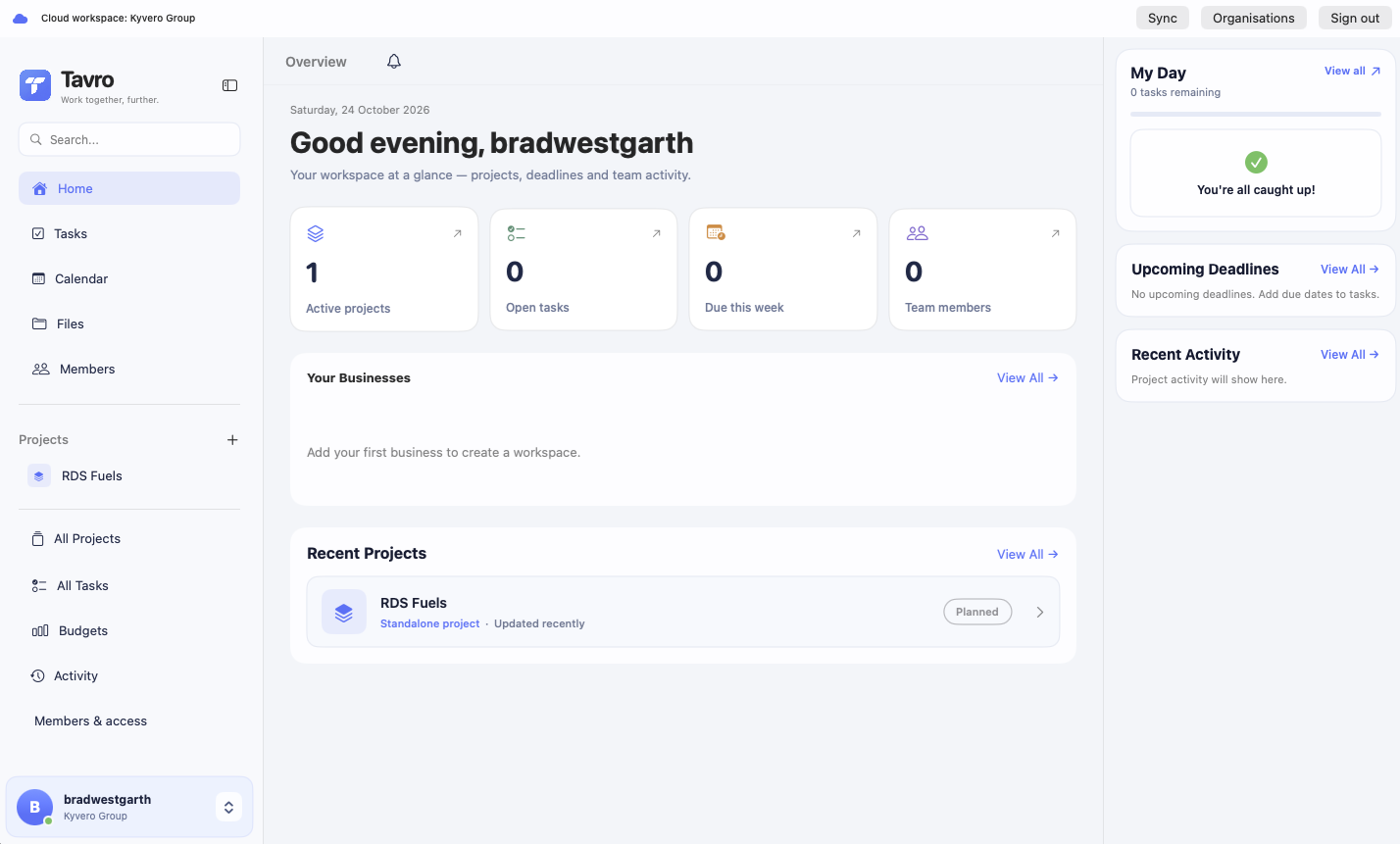
Inside the app


How it works
One Tavro account opens the Mac app and the web workspace.
Create one for your team, or join with an invitation.
Put tasks on it, then start a thread when the team needs to decide something.
Why Tavro
Projects, tasks and conversations sit in a sidebar you already know how to use.
Invite people into the organisation. Each project has one shared home.
Use the Mac app or the web workspace. Both use the same account and the same cloud data.
Create an account or sign in, then create an organisation or join one with an invitation. Add a project to give the work a shared home.
Yes. The Mac app and web workspace use the same Tavro account and shared cloud data. Sign in separately on each. Some features are currently available only in the Mac app. A Windows app is coming soon.
Open a project to find its Threads and Chat. Threads keep discussions organised with replies and attachments. Chat gives the project a shared conversation.
Yes. Invite people into your organisation and share the invitation so they can join the workspace.

Your people, projects and the next decision. Start a Tavro workspace today.